Bet Builders can be one of the trickier things to match. Working out exactly which results your Bet Builder covers, and what you need to lay to cover them, can take a while by hand. I built the Bet Builder Buddy to do that work for you.
You can use it in two ways:
- Start with a Bet Builder – enter the Bet Builder you want to place at the bookmaker, and the Buddy will work out the lay bet or bets you need to cover it.
- Start with a Lay Bet – choose the outcome you want to lay, and the tool will show you different Bet Builder combinations that match it.
As well as working out your lay bets, it can pull in live lay odds, suggest Bet Builders worth trying and place your lay bets straight from the tool on Smarkets and Matchbook. You’ll need a free Matched Betting Blog account for those, so make sure you’re logged in. Everything else works without one.
If you’re new to Bet Builders, don’t worry if it looks like a lot at first. I’ll walk you through each part below, and after a couple of goes, it should start to feel familiar. If you’d like to understand how laying Bet Builders works first, take a look at my Bet Builders guide.
Getting started
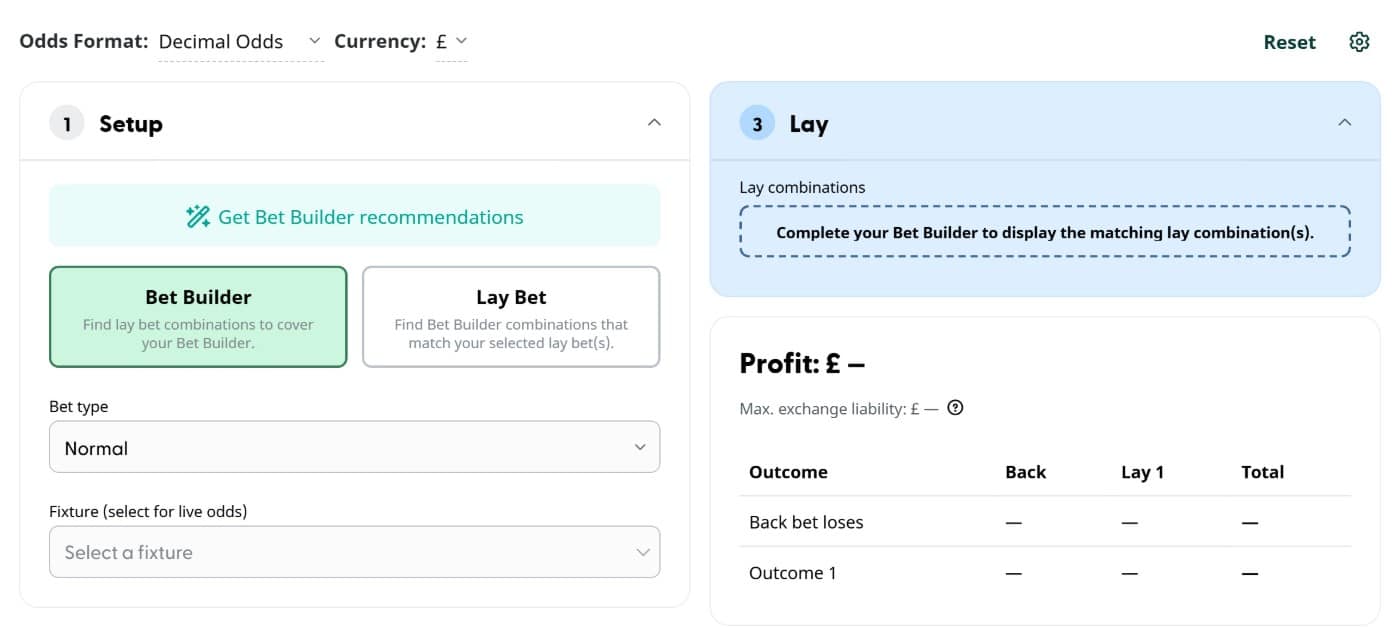
At the top of the Bet Builder Buddy, you can change your odds format and currency. The settings cog is where you set your exchange commission, and Reset clears everything so you can start a new bet.
Under Setup, choose Bet Builder or Lay Bet, depending on which of the two ways above you want to work. The numbered sections then change to match:
Bet Builder first:
1. Setup → 2. Bet Builder → 3. Lay
Lay Bet first:
1. Setup → 2. Lay → 3. Bet Builder
If you switch between the two, the Buddy keeps what you’ve already entered. That’s handy if your bookmaker won’t accept the Bet Builder you’ve built, as I’ll explain later.
You’ll also see a Get Bet Builder recommendations button at the top of Setup. This suggests lay selections worth building around, which is handy if you don’t have a match in mind yet. There’s more on this in Bet Builder recommendations below.
Starting with a Bet Builder
This is likely to be the easiest way to use the Bet Builder Buddy if you’ve already found an offer and built your bet at the bookmaker.
Step 1: Choose your bet type
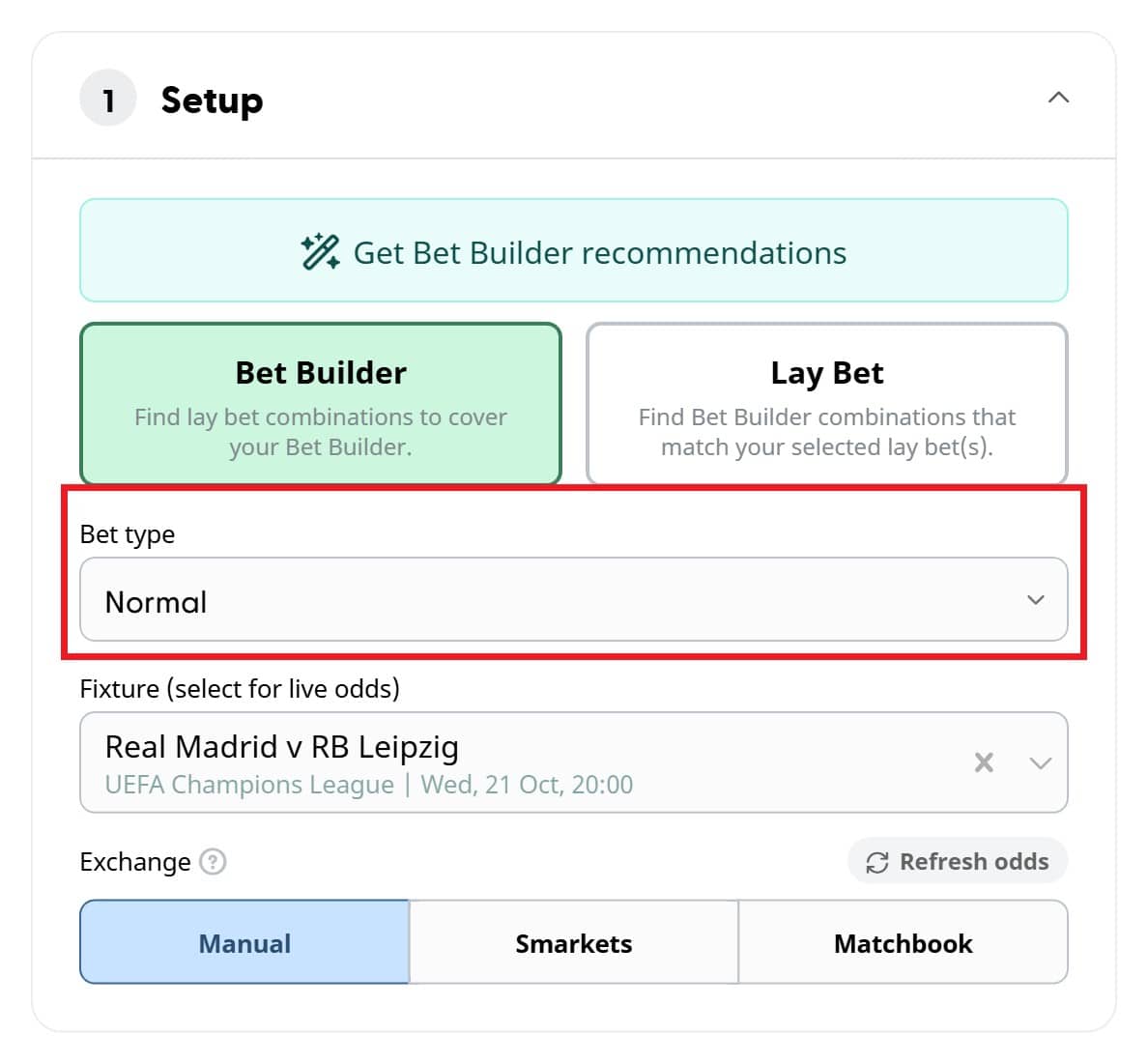
Under Bet type, choose the type of bet you’re placing: Normal, Free bet or Money back if bet loses. The Buddy uses this to work out your lay stakes and profit, so it’s important to get it right.
Tip: If you’re using a profit boost, you can enter it separately in the Bet Builder section.
Step 2: Select a fixture for live odds
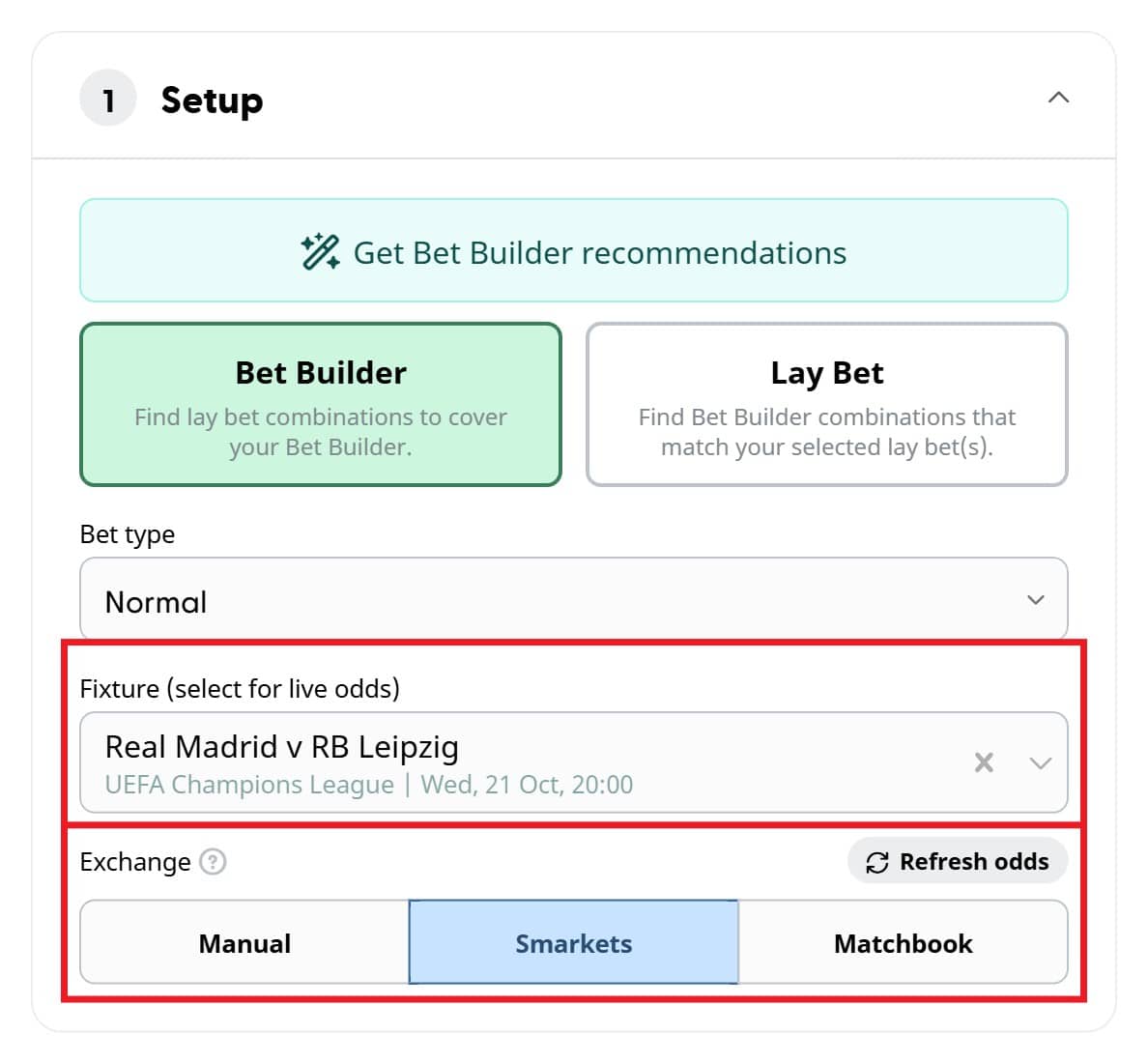
You only need to select a fixture if you want the tool to pull in live exchange odds. If you’re entering your lay odds yourself, you can skip this step. If you’re not logged in, you’ll see an Unlock live odds box here instead. Just register for free or log in to use them.
Click the Fixture box to see upcoming matches, or start typing a team name to search for one. Once you’ve picked a fixture, you can choose Smarkets or Matchbook for live odds, or stay on Manual. Live odds refresh automatically, but you can also click Refresh odds at any time.
Step 3: Enter your Bet Builder
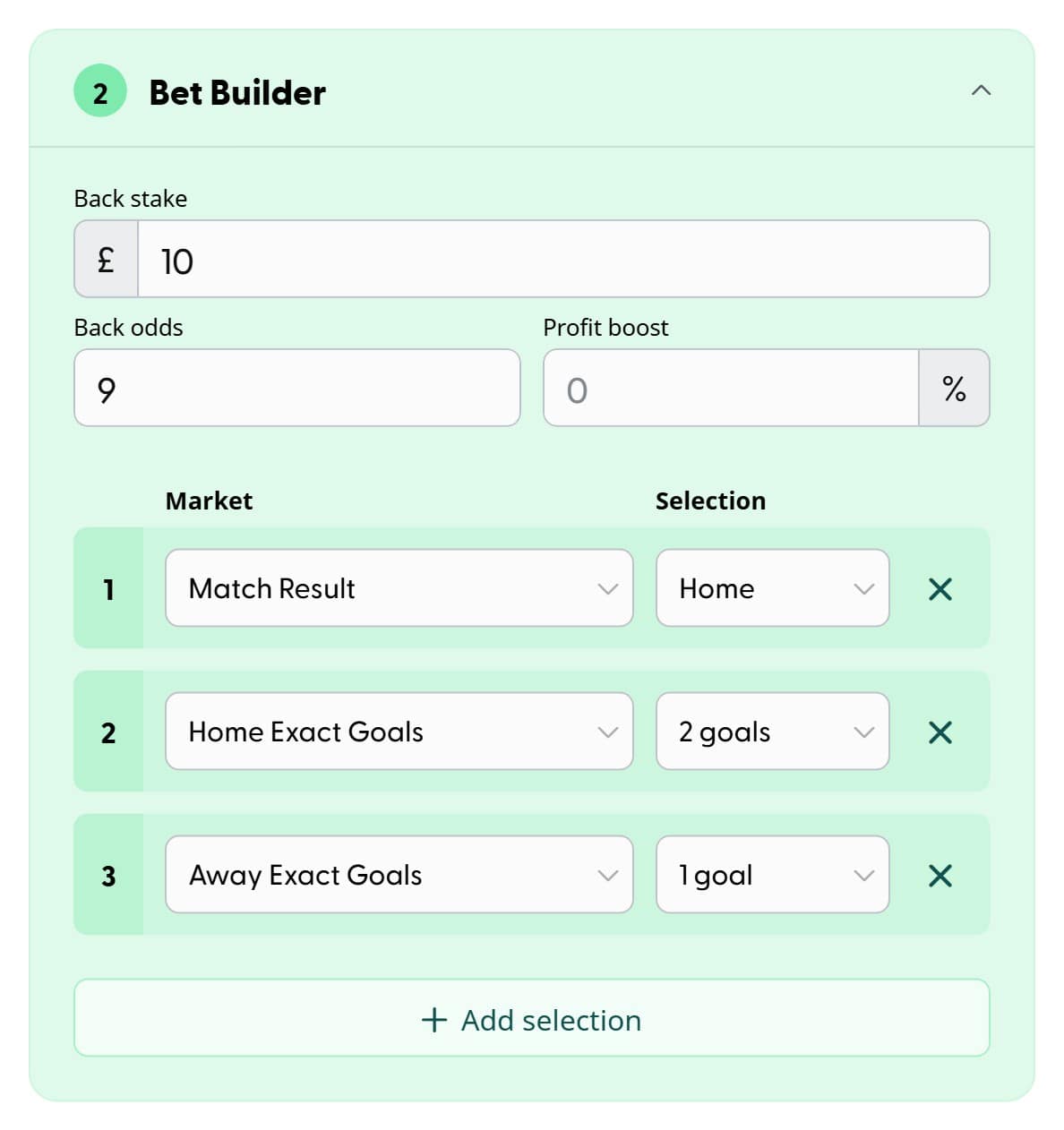
Enter your back stake, back odds and any profit boost. Then add the selections that make up your Bet Builder, choosing a Market and then a Selection for each row.
The Buddy covers football Bet Builders, with markets for the full match, the first half and the second half. These include Match Result, Both Teams to Score, Double Chance, Total Goals, Home and Away Goals, and Exact Goals. The market list is quite long, so the quickest way to find what you need is to start typing its name. The Buddy starts with three selections, but you can add more with Add selection or remove one with the cross beside it. As you build the bet, it works out exactly which outcome or outcomes you need to lay.
Step 4: Check your lay bet
Your lay bet appears in the blue Lay section.
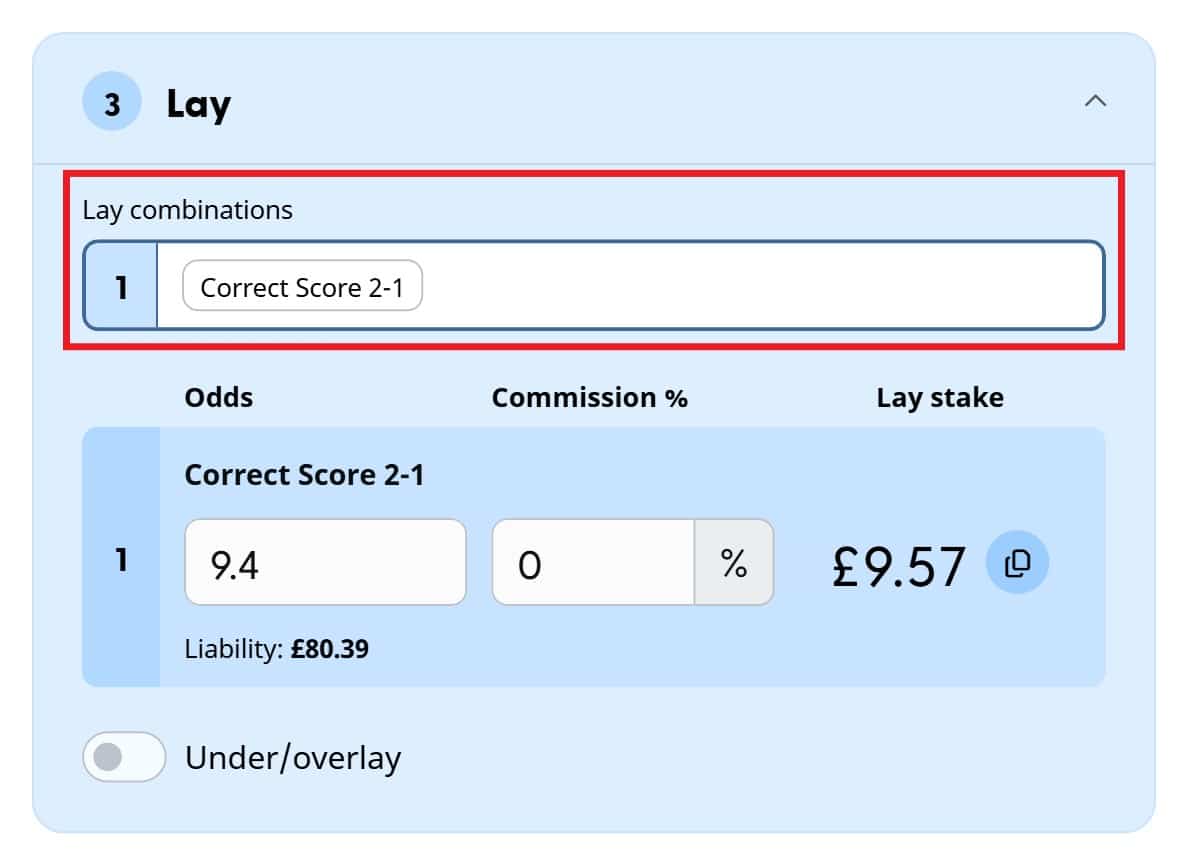
For some Bet Builders, you’ll only need one lay. In the example above, I’ve backed £10 at odds of 9.00 on a home win, with the home team scoring exactly 2 goals and the away team exactly 1. The only way that can win is a 2-1 home win, so the Buddy tells me to lay Correct Score 2-1. At the time of writing, I’ve found lay odds of 9.40, which gives a lay stake of £9.57 and a loss of no more than £0.43, whatever the result.
Other Bet Builders can win with more than one result. If you swapped the home team’s exact goals for Total Goals – Under 4.5, the bet would also win with a 3-1 home win. In that case, the Buddy creates a multi-lay and works out a separate lay stake for each outcome.
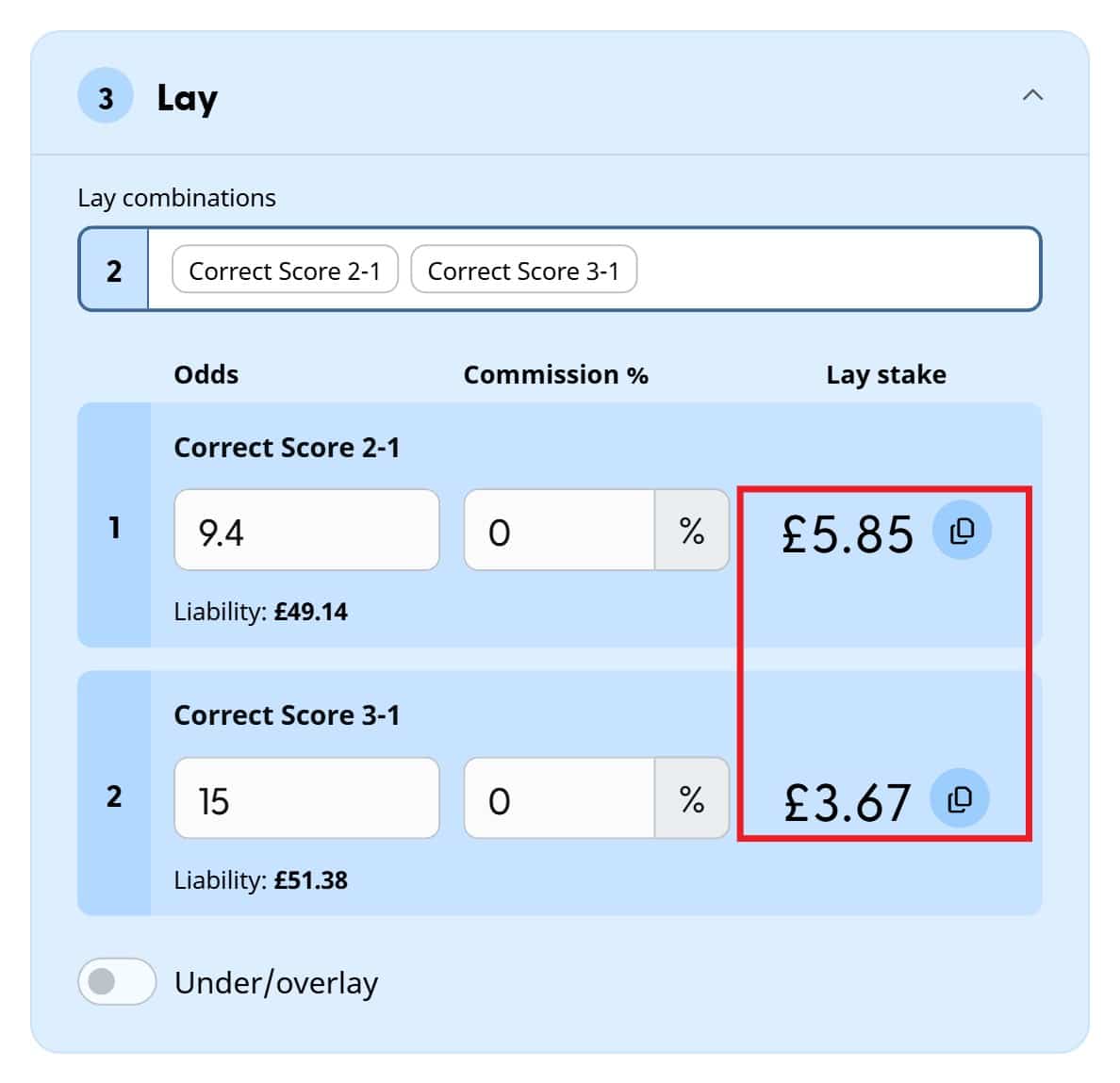
Each lay stake has a copy button beside it, so you can paste it straight into your bet slip at the exchange rather than typing it out.
Tip: Keep an eye on your liability. Correct score lays are often at high odds, so your liability can be much bigger than your back stake. In the single lay example above, you’d need just over £80 in your exchange account to cover a £10 Bet Builder, so make sure you’ve got enough funds before you start.
Starting with a Lay Bet
More experienced matched bettors often work the other way round. Instead of building the Bet Builder first, you pick a score or outcome you want to lay, then find a Bet Builder that matches it.
Select Lay Bet under Setup, and the Bet Builder Buddy switches to 1. Setup → 2. Lay → 3. Bet Builder.
Step 1: Choose your lay selection
In the Lay section, choose the selection you want to cover. The dropdown includes selections from markets such as:
- Match Result
- Both Teams to Score
- Double Chance
- Correct Score
- Total Goals
- Team Goals
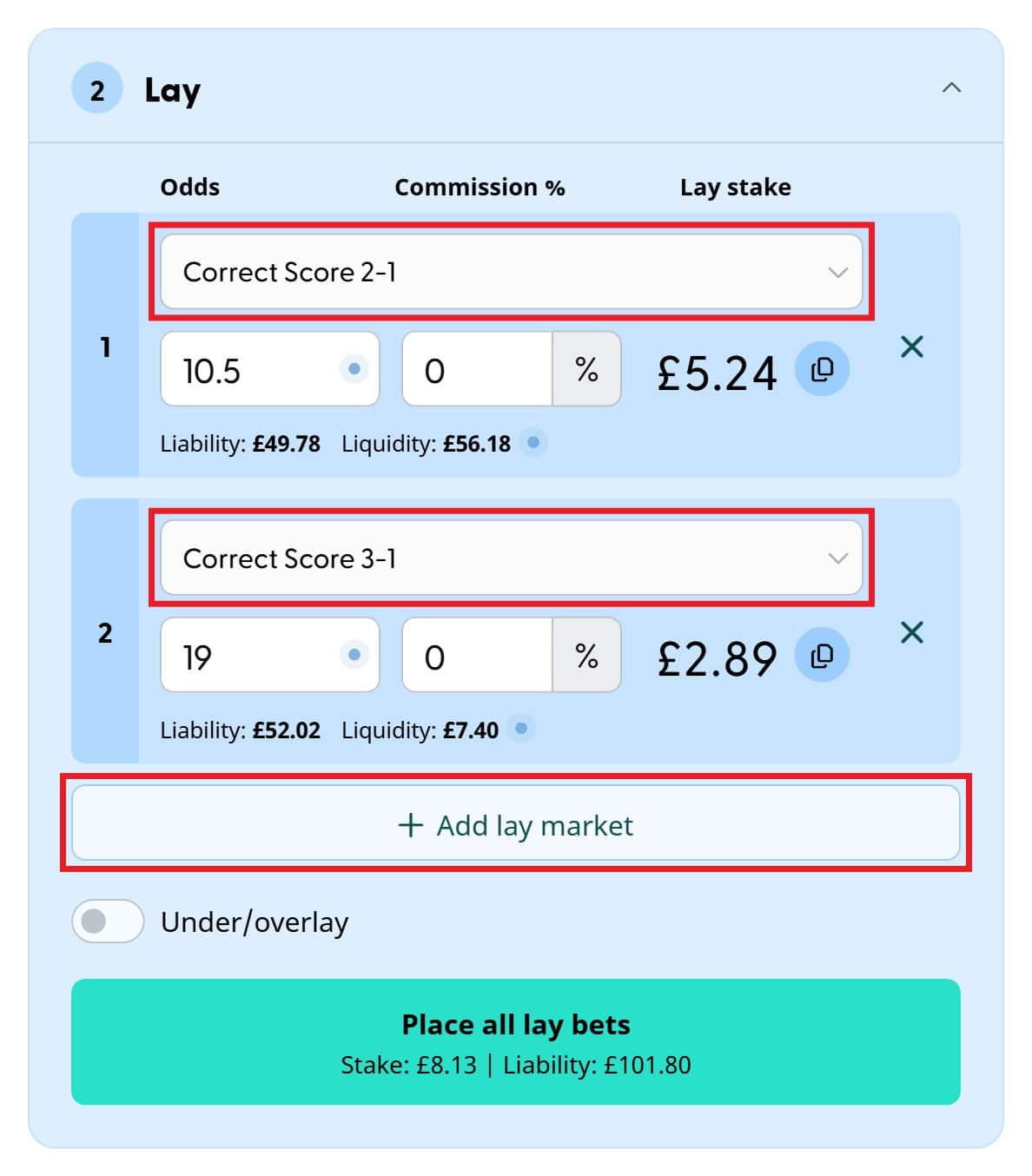
You can enter the odds yourself, or select a fixture and a supported exchange to use live odds. If you want to cover more than one outcome, click Add lay market.
Step 2: View matching Bet Builders
Once you’ve chosen your lay selection or selections, the Buddy finds Bet Builder combinations that win with exactly the same results. There are often several ways to build the same thing. A Correct Score lay, for example, could be matched with different combinations of:
- Match Result
- Both Teams to Score
- Total Goals
- Team Goals
- Double Chance
- other supported Bet Builder markets
That’s useful because bookmakers don’t all allow the same combinations, and different combinations can come out at different prices. If your bookmaker won’t accept the Bet Builder you’ve built, switch to Lay Bet and the Buddy will show you other ways to build the same bet.
Filtering by number of selections
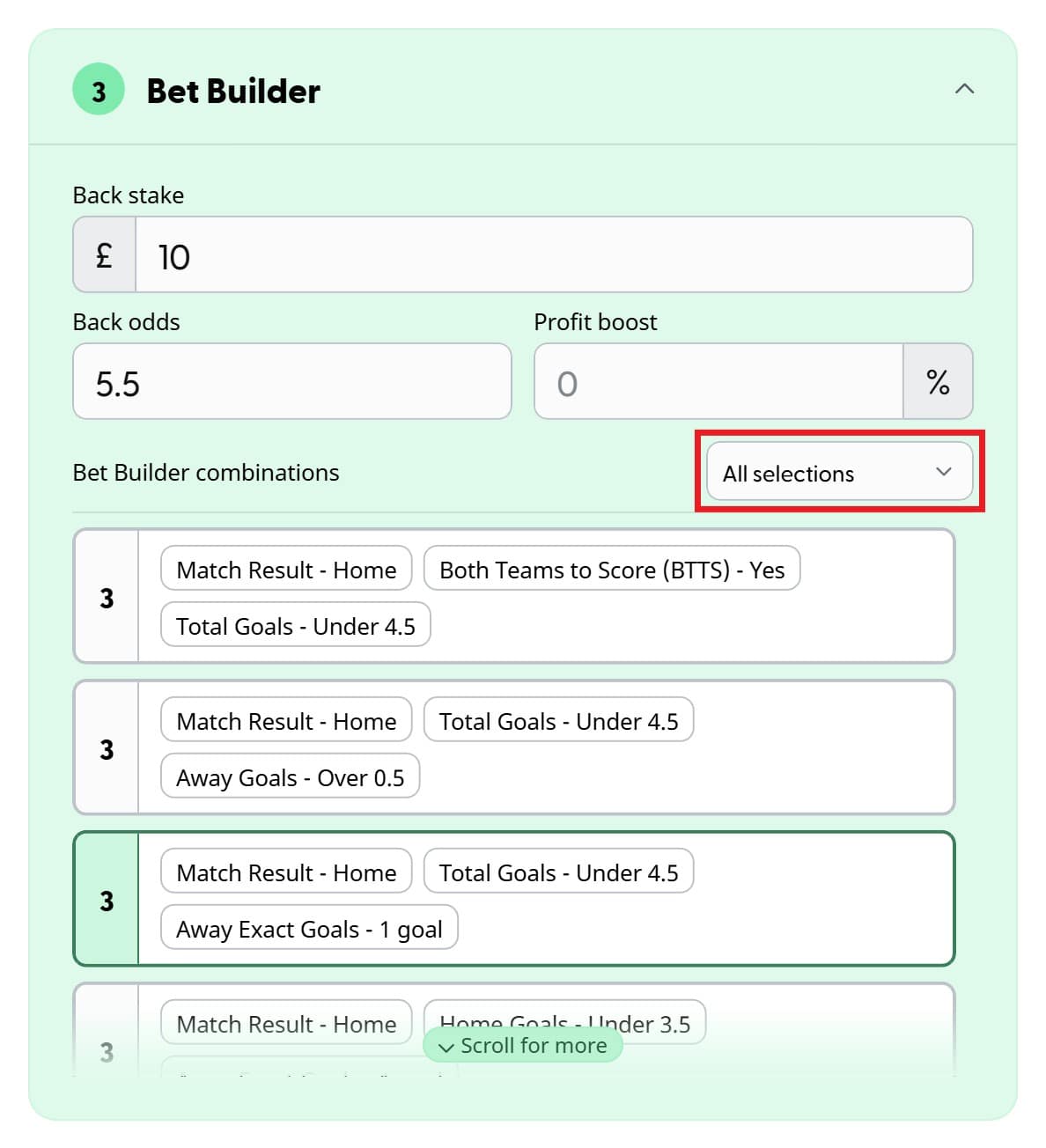
The tool may find quite a few matching Bet Builders. Use the filter above the results to show only those with a certain number of selections. That’s particularly handy when an offer needs a minimum number of selections.
Step 3: Choose a Bet Builder
Select one of the combinations and try building it at your bookmaker. Once you’ve found one they’ll accept, enter your back stake, the bookmaker’s odds and any profit boost. The Buddy will then work out your lay stake and profit.
Tip: Different combinations can give different bookmaker prices, even when they cover exactly the same result, so it’s often worth trying more than one.
Bet Builder recommendations
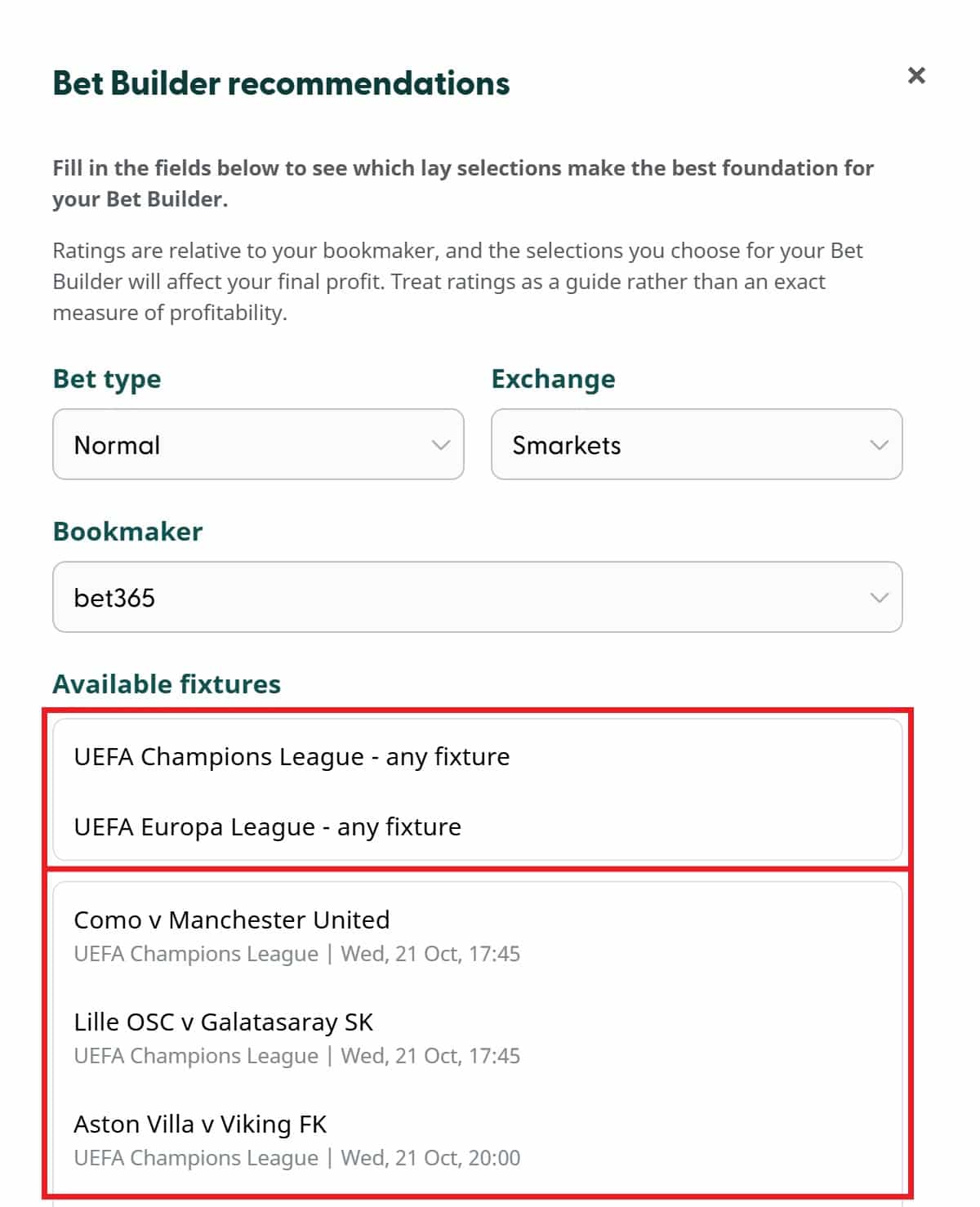
Click Get Bet Builder recommendations at the top of the Setup section. Rather than choosing a lay selection yourself, the Bet Builder Buddy suggests the lay selections that look most promising as a starting point for your Bet Builder. You’ll need to be logged in to use these.
Choose your:
- bet type
- bookmaker
- exchange
You can then either choose a specific fixture or browse recommendations across the available fixtures.
Recommendations for a specific fixture
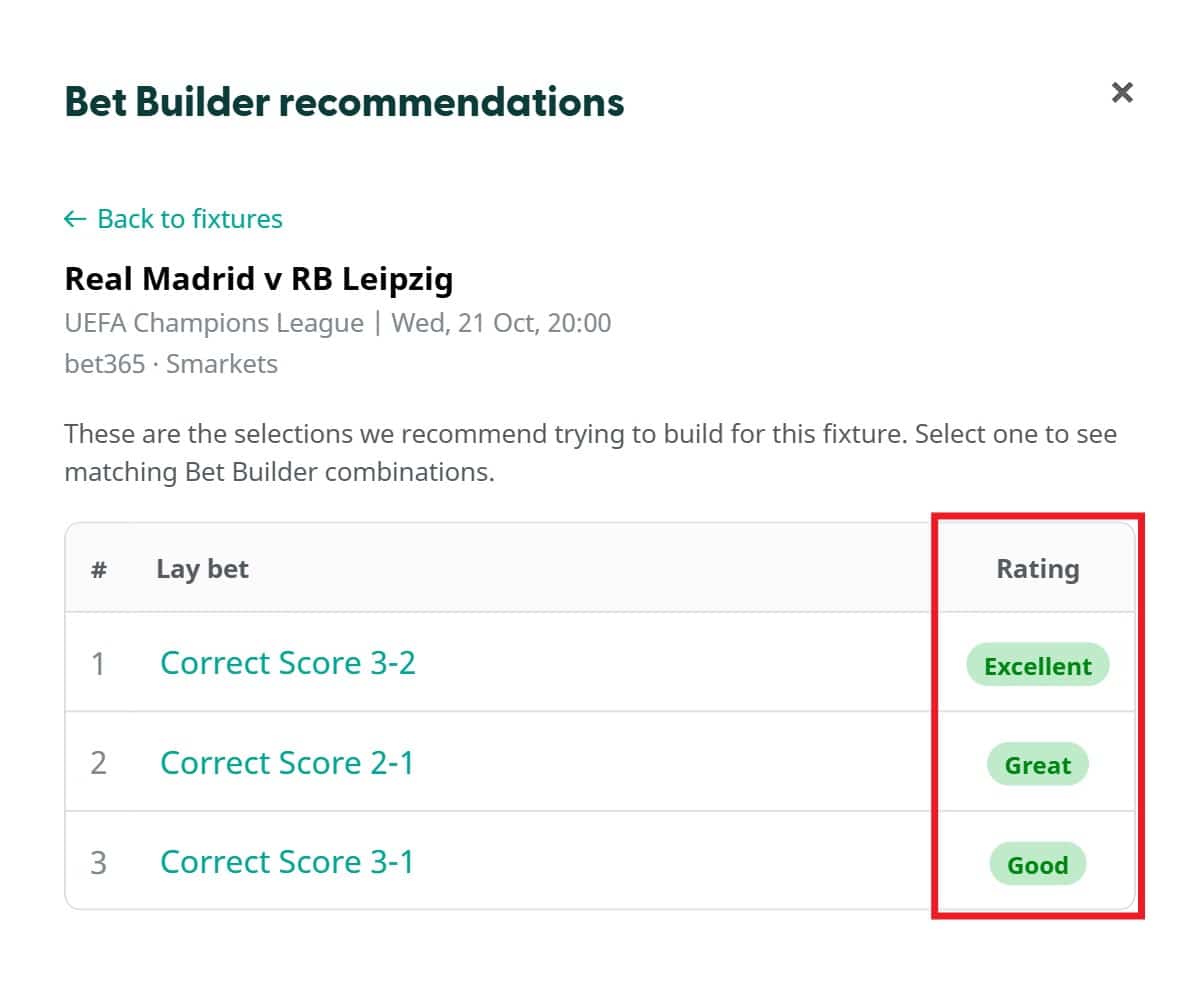
Select a fixture, and the Buddy will show you its top-rated recommendations. The ratings run:
Excellent → Great → Good → OK → Best avoided
The recommendations are ranked, so number 1 is the best one to try first. Click one, and the Buddy loads that lay selection and shows you the matching Bet Builder combinations, so you can choose which to try at your bookmaker.
Recommendations across multiple fixtures
You can also browse the highest-rated recommendations across a whole competition, rather than choosing one fixture first.
Under Available fixtures, choose one of the competition options, such as UEFA Europa League – any fixture. This is handy if you’re completing an offer that applies to a particular league or competition.
The Buddy will then show the top-rated options across that competition’s fixtures, ranked in the same way.
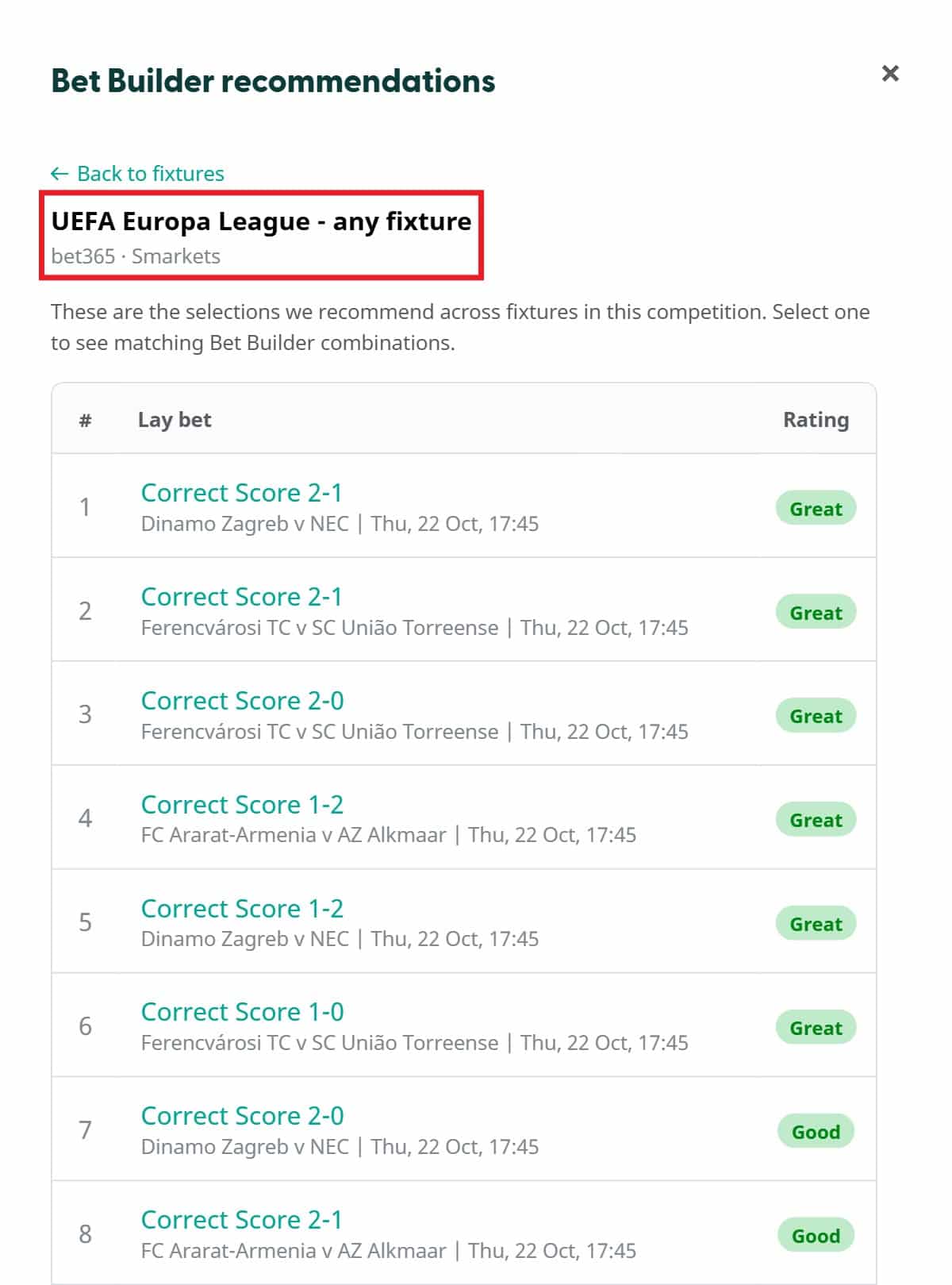
This can be particularly useful if you have an offer to complete but don’t already have a match in mind.
What do the recommendation ratings mean?
The ratings compare the options using the bookmaker and exchange prices available, so you don’t have to check every possible selection yourself. They’re a guide rather than a guarantee, though. Bookmakers price Bet Builders differently, and the exact price can depend on which combination you use, so it’s still worth trying a few of the combinations the Buddy gives you.
Using manual lay odds
You don’t need to select a fixture or use live odds to use the Bet Builder Buddy. With Manual selected, just enter the lay odds and commission for each lay, and the Buddy will work out your lay stakes and liability. For a multi-lay, remember to fill in every row.
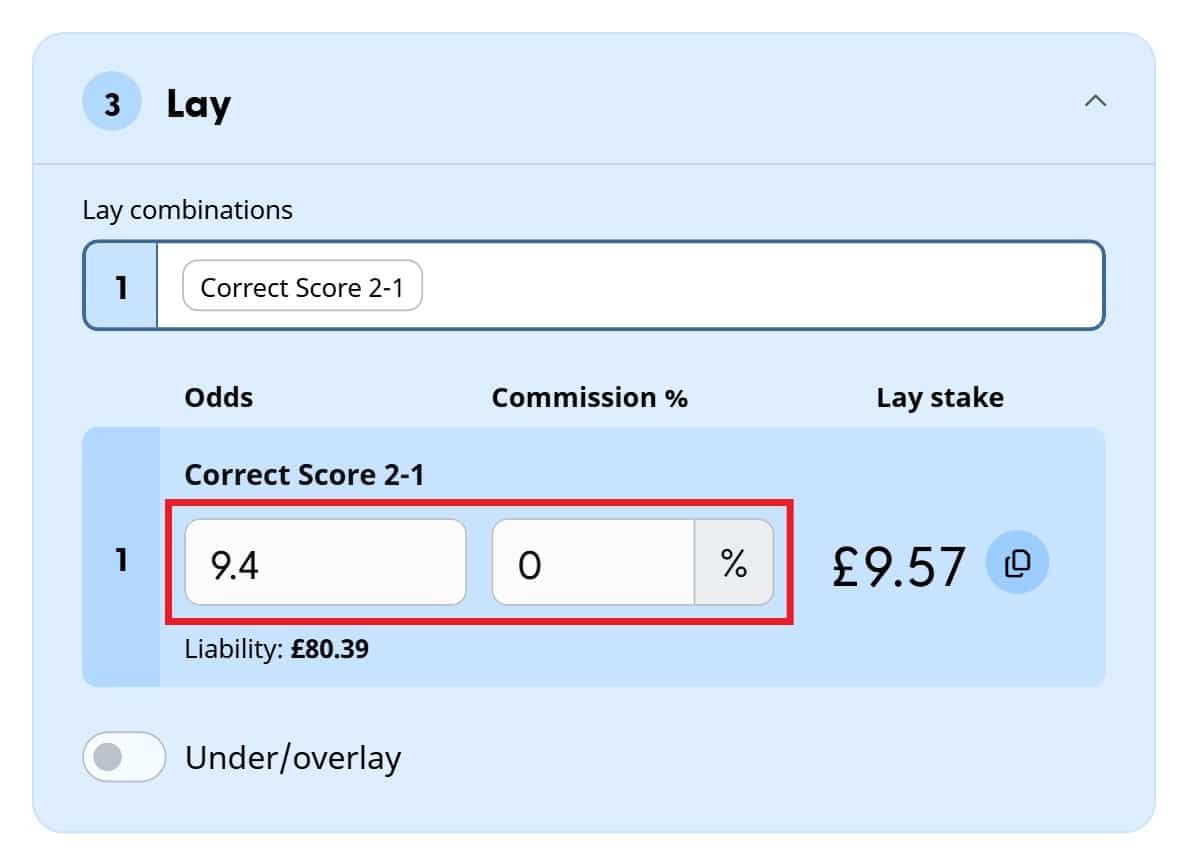
That means you can use the Bet Builder Buddy with any exchange or fixture, as long as you can enter the prices yourself. If you’ve signed up for 0% commission at Smarkets, just enter 0.
Using live exchange odds
Select Smarkets or Matchbook, and the Bet Builder Buddy will pull in the live lay prices automatically. You’ll then see the current lay odds, available liquidity, your lay stake and your liability. The small blue dots beside the figures show they’re coming live from the exchange.
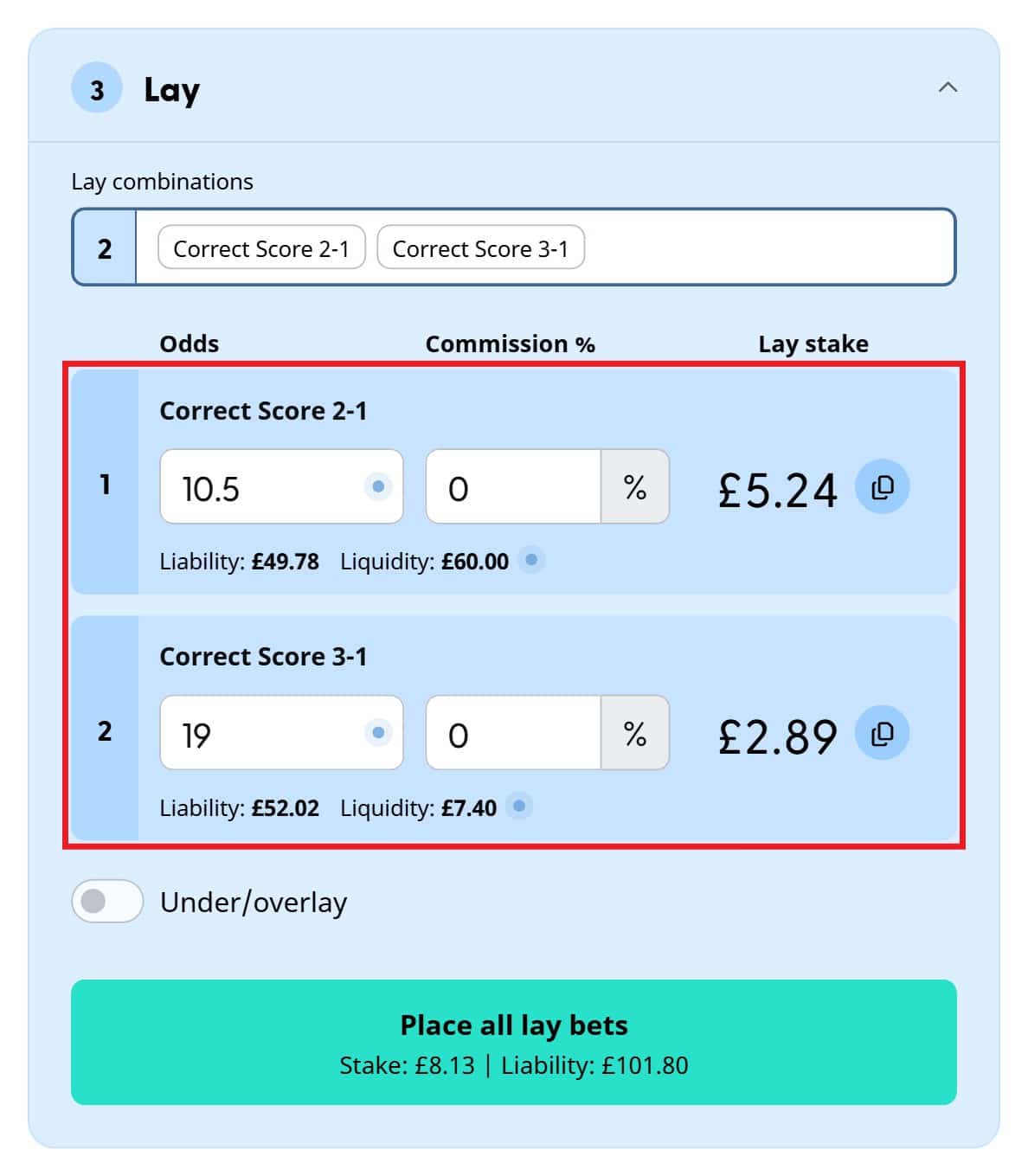
Prices refresh automatically. While they’re updating, the placement button is briefly disabled and shows Updating live odds…. Once the new prices have loaded, the Buddy recalculates your stakes and profit.
Tip: If the lay odds or liquidity don’t look great on your chosen exchange, you can always check the other one.
Exchange commission
When you’re using live odds, the Buddy takes your commission rate from your saved exchange settings, so you don’t need to enter it each time. To change it, click the settings cog at the top of the tool. There’s a separate rate for each exchange, so enter what you pay at Smarkets and at Matchbook. Your commission settings apply across all my tools, so you only need to set them once.
Placing your lay bets
You can place your lay bets on Smarkets and Matchbook straight from the Bet Builder Buddy. If you haven’t connected your exchange account to Matched Betting Blog yet, you’ll be asked to connect it first. You only need to do this once, and if you’ve already connected it for the Oddsmatcher, you’re all set. For a single lay, you’ll see a Place lay bet button. For a multi-lay, you’ll see Place all lay bets, which places them all together rather than one by one. The button also shows the total stake and liability for your lay bets.
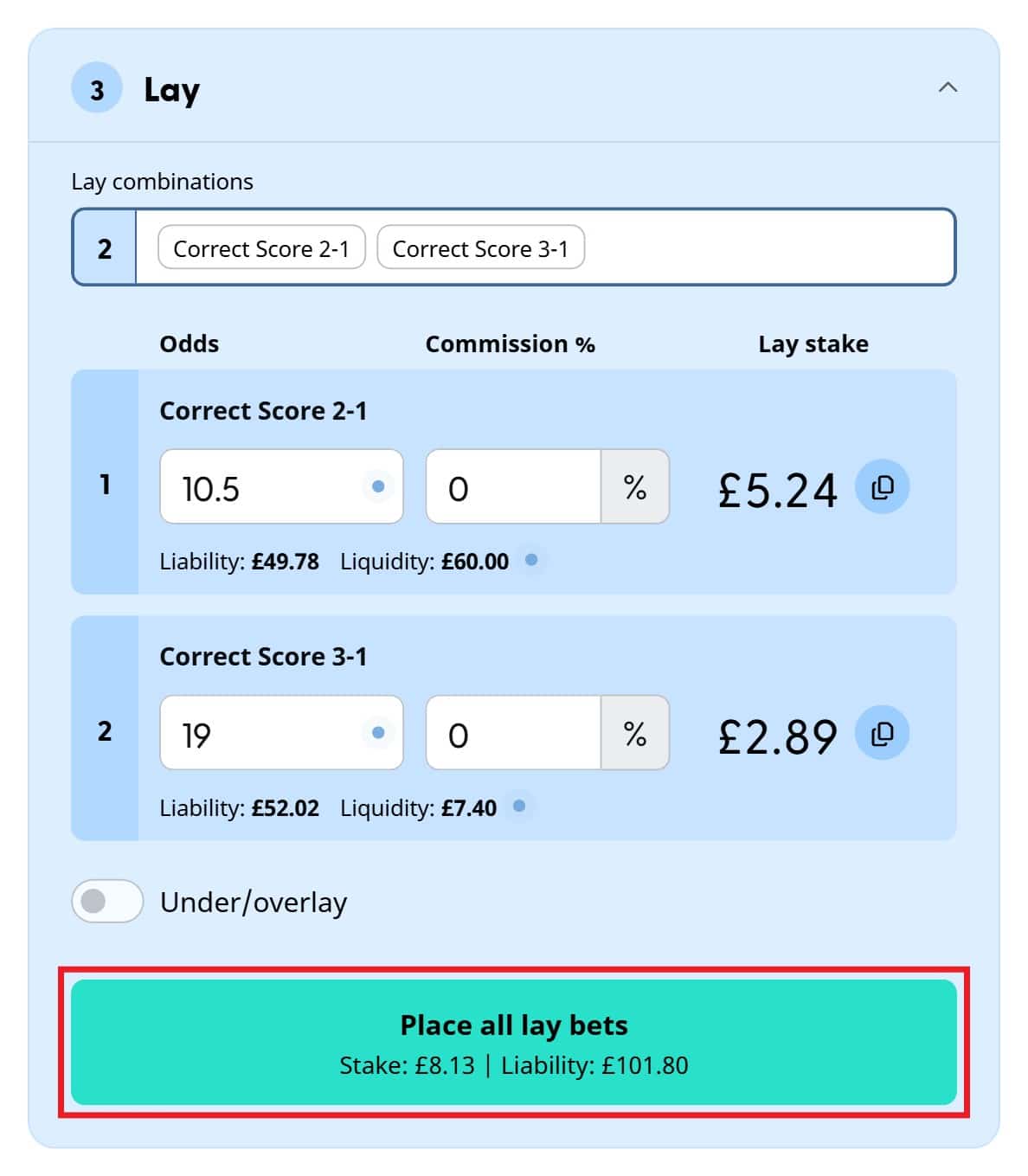
Before placing anything, always double-check your bookmaker bet, the exchange odds, your lay stakes and your liability.
Once you’ve placed your bets, the Buddy confirms each lay individually and tells you whether it was placed and fully matched.
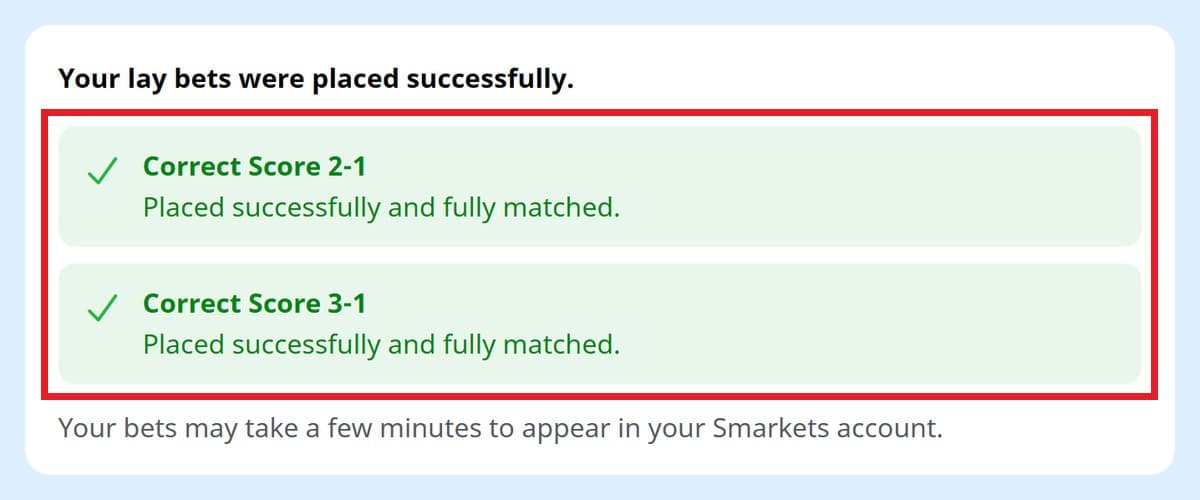
Your bets can occasionally take a few minutes to appear in your exchange account.
Nice work! That’s your Bet Builder matched.
Understanding the Profit section
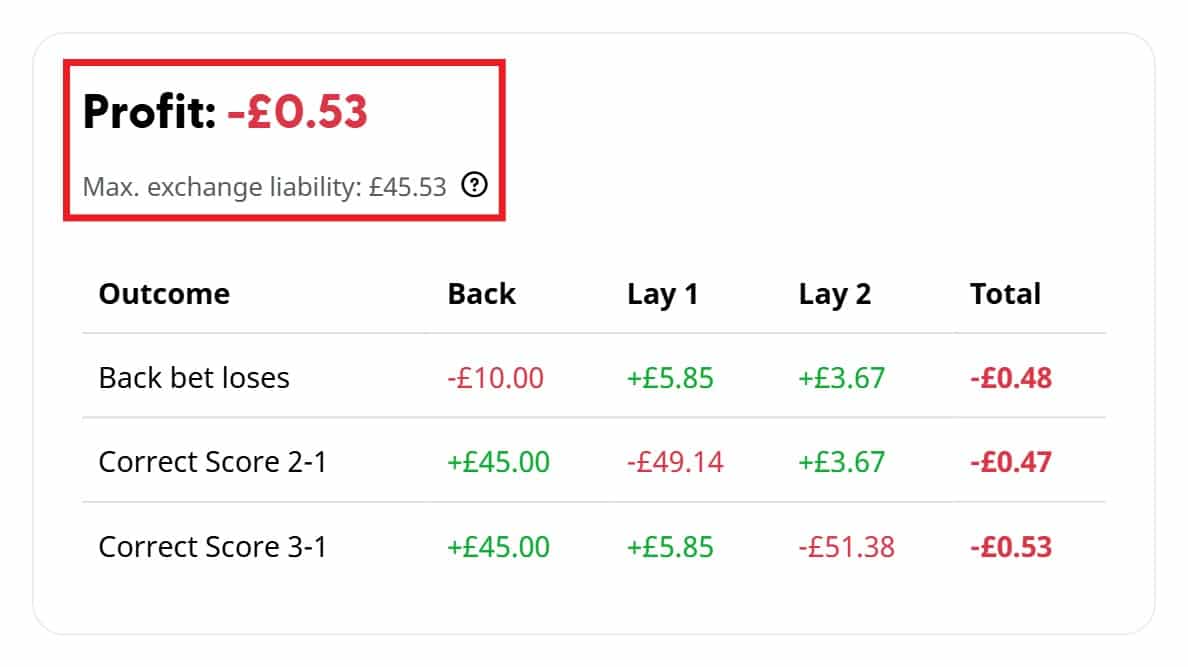
The Profit section shows your result for every possible outcome. For a single lay, you’ll see one row for your Bet Builder losing and one for your lay selection winning. For a multi-lay, each lay outcome gets its own row.
The Buddy works out your lay stakes to bring the outcomes as close together as possible, and the main Profit figure shows your lowest result across all of them, so it’s the least you’ll make (or the most you’ll lose on a qualifying bet).
You’ll also see your Max. exchange liability. That’s the most that will be tied up in your exchange account when all your lay bets are placed at the same exchange. On a multi-lay, it’s usually lower than the total liability on the placement button, as only one of your lay bets can lose. If you’re using more than one exchange, you may need more funds than this.
Single lays and multi-lays
The Bet Builder Buddy handles both. You need a single lay when your Bet Builder can only win with one result, and a multi-lay when it can win with several. Multi-lays aren’t just for big Bet Builders; even a three-selection Bet Builder can need several lay bets, as in the 2-1 and 3-1 example above. The Buddy works out each lay separately and shows your overall result in the Profit section.
Underlay and overlay
The Bet Builder Buddy also has an Under/overlay option. This lets you adjust your lay stake to leave more profit on either the bookmaker or the exchange side, rather than balancing them evenly.
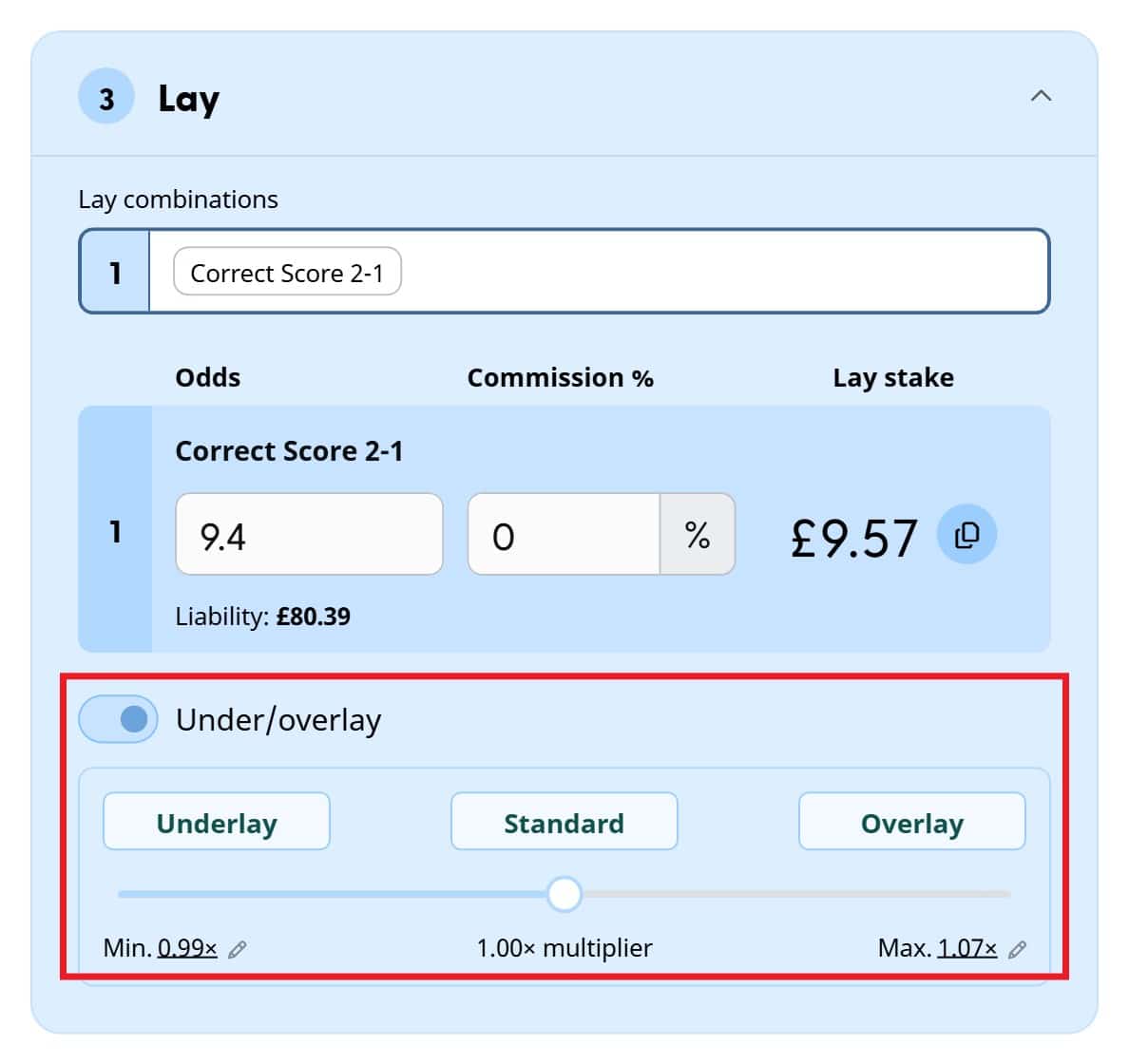
Tip: If you’re new to matched betting, I’d recommend leaving this switched off. A balanced lay keeps things simple.
Frequently asked questions
Why doesn’t a Bet Builder combination work at my bookmaker?
Bookmakers don’t all allow the same Bet Builder combinations, and they can change what they allow over time. A combination can make perfect sense mathematically and still be rejected. That’s one reason the Bet Builder Buddy usually gives you several ways to build the same result, so if one isn’t accepted, just try another.
I’ll keep improving the combinations the Buddy provides as I learn more about each bookmaker’s restrictions.
Why doesn’t the Bet Builder Buddy always show every possible combination?
There can be a huge number of ways to recreate the same result. I’ve designed the Buddy to focus on the most useful combinations rather than filling the list with near-identical variations, and I’ll keep refining them as the tool develops.
A few things to remember
The Bet Builder Buddy makes matching Bet Builders much easier, but it’s still important to check everything before you place your bets. Always make sure:
- you’ve entered the same selections as your bookmaker bet
- your back stake and odds are correct
- the exchange prices haven’t moved
- there’s enough liquidity
- your lay bets have been fully matched
- the bookmaker has accepted your Bet Builder
If something doesn’t look right, don’t place the bet until you’ve checked it.
Found a bug or have an idea?
The Bet Builder Buddy is a new tool, and I’ll keep improving it based on how you use it. If something doesn’t look right, a combination isn’t behaving as expected or you’ve got an idea that would make it better, I’d love to hear from you.
You can use the Bet Builder Buddy feedback page, leave a comment below or post in the relevant support channel on the Matched Betting Blog Discord server.


Got a question?
Ask the community on Discord, or leave me a comment below.
I usually respond within 24 hours.
Matt Kirman – Matched Betting Blogger
Since 2014, I’ve blogged over £100,000 worth of profit, and made it my mission to make matched betting accessible to everyone.